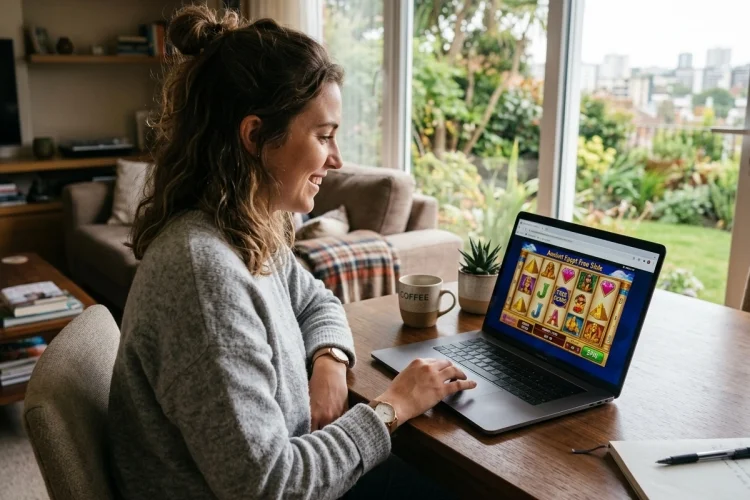
Downloading an app is not always necessary when you want to explore an online slot. Many modern games can run directly inside Chrome, Safari, Firefox, Edge, or another supported browser.
You open the page, wait for the game to load, and play with virtual credits. Learning how to Play Free Slots Without Downloading is useful when you want to test a game before creating an account or using real money.
Browser-based demo mode can help you understand paylines, wild symbols, bonus rounds, and bet controls without installing extra software. The process is easy, but you should still check the website, browser compatibility, and demo rules before starting.
What Does “No Download” Actually Mean?
A no-download slot runs as a web game inside your browser rather than as a traditional program installed on your computer or phone.
Modern browser games commonly use technologies such as HTML, JavaScript, Canvas, WebGL, and browser-based audio. These tools allow developers to display animations, sound, interactive controls, and game graphics directly on a webpage.
The game still downloads temporary page data, images, and sounds while loading. “No download” simply means you do not need to install a separate application.
Find a Legitimate Demo Source
Start with an official game-provider website or a licensed gambling operator that offers free-play versions. Avoid pages that immediately demand software installation, browser extensions, or unusual permissions.
When checking a gambling website, look for its licensing details and verify them through the relevant regulator. The UK Gambling Commission, for example, provides a public register that can be searched by business name, trading name, or domain.
A secure HTTPS connection protects data moving between your browser and the website, but it does not by itself prove that the operator is licensed or trustworthy. Check both the connection and the business credentials.
Open the Slot in Demo Mode
Once you find the game, look for a button labelled “Demo,” “Free Play,” “Try,” or “Play for Fun.” The exact wording varies between providers.
The browser will usually open the game in the same tab, a new tab, or a full-screen frame. Allow a few seconds for the graphics and audio files to load, especially on a mobile connection.
Some sites may ask you to confirm your age or location before opening the demo. Others may require a free account, while provider-operated game pages may allow immediate access.
Understand the Virtual Balance
Demo slots normally provide a virtual balance that has no monetary value. You can change the simulated stake and activate features, but virtual winnings cannot be withdrawn.
On British-regulated websites, a play-for-free version must use the same game rules as the corresponding real-money version offered on that site. Its chances and prize distribution must not be misleadingly different.
Even so, a successful demo session does not predict future real-money results. Random outcomes can produce a strong session followed by a poor one, or the reverse.
Check the Paytable Before Spinning
Open the information, help, or paytable section before pressing spin repeatedly. Look for the number of paylines or winning ways, symbol values, wild and scatter functions, bonus triggers, and theoretical RTP.
The help screen should also explain whether the game uses expanding reels, cascading symbols, multipliers, free spins, or jackpots.
Demo mode is most useful when you can explain why a win occurred and what activated each feature. Treat it as a tutorial rather than a test of whether the game is “hot.”
Improve Browser Performance
Use an updated browser and close unnecessary tabs when the game feels slow. Browser slots can use significant graphics and audio resources, particularly when they include high-resolution animation.
A stable Wi-Fi connection may provide smoother play than a weak mobile signal. On a phone, rotate the screen if the controls appear cramped and disable battery-saving restrictions when they interfere with animation.
If the slot does not load, refresh the page, temporarily disable conflicting content blockers for a trusted site, or try another supported browser. Never install an unknown plugin simply because a popup claims it is required.
Stay Safe While Browsing
Pay attention to browser security warnings. Chrome’s Safe Browsing system can warn users about known phishing pages, malware, unwanted software, malicious advertisements, and social-engineering attempts. Google recommends leaving this protection enabled.
Leave immediately when a site asks you to download an unexpected file, install an extension, or enter payment information just to access a supposedly free demo.
Only use gambling-related content where it is legal and when you meet the applicable minimum-age rules.
To Play Free Slots Without Downloading, use a modern browser, choose a legitimate demo source, and open the game through its free-play option.
The slot should load with virtual credits, allowing you to explore its symbols, paytable, stake controls, and bonus mechanics without installing an app.
Remember that demo winnings have no cash value and cannot predict future results. Check licensing details, keep browser security warnings active, and avoid unexpected downloads or extensions.
Start by reading the game rules rather than spinning immediately. The goal of browser demo play should be learning and entertainment, not developing a system for guaranteed winnings.